
Step-by-Step: Syncing Your Fitness Device Data with Mobile Apps
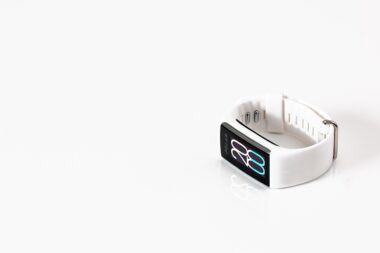
Integrating your fitness device data with mobile applications is crucial for tracking your progress comprehensively. Fitness enthusiasts often rely on wearable devices and apps for accurate tracking. Many health and fitness mobile apps allow you to sync data from various tracking devices to provide insights into your activities. By connecting your exercise device to mobile applications, you can efficiently monitor metrics such as activity levels, heart rates, and more aggregated information. Begin by ensuring both your fitness device and mobile app are compatible and ready to sync. Familiarize yourself with the specific instructions provided by the manufacturer and the app developers. Each device has unique connectivity features like Bluetooth or Wi-Fi that facilitate seamless integration. Remember that syncing is often initiated in the app settings, where you can find the device connection option. When done correctly, the data should transfer immediately, reflecting your most recent activities. Take note that some apps require permission to access data from other services or health facilities. Be sure to allow these connections for an enhanced experience, giving you the most relevant data available.
To achieve a successful sync, first, make sure your fitness device is charged. Devices typically require at least a partial charge to perform the syncing process. Next, open the mobile app linked to your device. Navigate to the settings or devices section within the app. Look for a button or link that says ‘Connect a Device’ or ‘Pair Device.’ Press this button to initiate the pairing process. Often, you will be prompted to select your specific device model from a list. Upon selecting your device, it will typically prompt you to ensure Bluetooth is activated on your smartphone. This allows both devices to communicate effectively. Follow any additional on-screen instructions that may appear, ensuring that your fitness device is within the specified range of your smartphone. Alternatively, some apps have options to connect via QR codes or by tapping on the devices directly. Once connected, your app may perform a data sync automatically. If not, locate the sync button within the app to manually initiate it for progress tracking purposes and to see your efforts reflected in real-time.
Troubleshooting Syncing Issues
Despite efforts to sync data between devices, issues may arise. One frequent concern is the failure of the app to recognize the fitness device. If this occurs, restart both your smartphone and the fitness device. This simple action often resolves temporary connectivity glitches that may prevent syncing. Ensure you have the latest version of the app installed, as updates frequently contain bug fixes. Outdated versions can lead to incompatibility with newer device features. Additionally, check for firmware updates for your fitness device, as they may enhance performance and connectivity. If the problem persists, consider unpairing the device. This can often solve various connection problems. Simply go into your app settings, find the device, and select the option to forget or remove it. Once unpaired, repeat the pairing and syncing steps outlined previously. Ensure your Bluetooth connection is stable during this process. Having other Bluetooth devices operating simultaneously can interfere. If none of these solutions work, consult the device’s user manual or seek support through the manufacturer’s website for specific guidance and tips.
Another common issue involves discrepancies in the data reflected in the mobile app after syncing. Users may see inconsistencies in their step counts or calorie estimates. This can often be attributed to differences in how each device measures those parameters. For example, some fitness devices may count steps based on motion sensors, while others may incorporate GPS data. To address these inconsistencies, remember to calibrate your device according to your specific activity levels regularly. Most applications allow users to set their stride lengths, which can impact distance calculations. Accurately inputting relevant personal data will provide better estimates and improve data reliability. Furthermore, ensure settings within the app mirror your personal metrics, such as age and weight, for more precise calculations. If you continually experience significant discrepancies despite calibration, consider reaching out to the app’s customer support. They can provide troubleshooting tailored to their platform, helping you attain a smoother, more cohesive integration of your fitness tracking experience.
Maintaining Your Fitness Device and App
Regular maintenance of your fitness device is essential for optimal performance. Keeping the device clean and ensuring that its sensors are unobstructed will enhance the effectiveness of data collection. Some devices require regular updates, which can introduce new features or improve existing functionalities. Frequent software updates serve to enhance syncing capabilities and app compatibility. Monitoring internet connection quality can also play a role in keeping sync problems at bay. A weak or unstable connection can prevent timely data transfer between your device and mobile app. Establishing a routine for updating both your fitness device and app ensures you are using the best and most efficient functionalities they can provide. Familiarize yourself with the company’s recommendations for cleaning and maintenance, as they may vary across devices. Taking care of the physical aspect of your fitness tracker will ultimately lead to a prolonged device lifespan and better performance. Check your app for settings that allow notifications about updates, ensuring you always remain informed regarding the latest features and patches, thus enabling flawless tracking.
In conclusion, syncing your fitness device data with mobile apps can significantly enhance your tracking experience. A well-integrated system provides a comprehensive overview of your progress and insights regarding your health and performance metrics. Understanding the fundamentals of how to connect your devices properly is key to maintaining accuracy and reliability in the data collected. Regular maintenance, proper syncing techniques, and troubleshooting skills will enhance your understanding of the overall process. Feel free to explore the unique features of various apps to find one that best fits your individual fitness goals. Take advantage of community forums and user experiences for tips on maximizing the potential of your devices and applications. The importance of closely monitoring your fitness journey cannot be overstated as it serves as motivation and a roadmap to achieving your desired outcomes. Remember that technology and devices are merely tools that facilitate your fitness journey. Your progress depends on consistency and dedication, so combine technology with personal effort for optimal results.
Final Thoughts on Integration
Ultimately, achieving successful integration between your fitness device and mobile apps simplifies your health tracking efforts. Regular data input from various tools allows you to better assess your habits and determine areas for improvement. Take steps to familiarize yourself with all the features available in both your fitness device and its corresponding mobile app. When both synchronize effectively, the data gained will reflect your exertion accurately and allow for better evaluation over time. Stay proactive about updates, troubleshooting problems, and trying new features that can enhance your tracking experience. Engaging with your fitness tools in a meaningful way will not only keep you on track but could foster motivation and a sense of accountability in your fitness journey. So whether you’re a seasoned athlete or just getting started, the integration of tracking tools represents a pivotal aspect of achieving long-term health objectives. Make it a habit to analyze the data collected each week or month, adjusting your fitness regime as needed for optimal success.
In summary, the journey of syncing your devices is rooted in understanding their functionality and purpose. By properly connecting your fitness tracker to the right applications, you enable yourself to gain valuable insights into your health progress. The integration of multiple tracking tools empowers users to personalize their fitness journey based on accurate feedback gathered through consistent data review. Join communities online to exchange experiences and gather additional tips on enhancing this connectivity further. Your pursuit of fitness and health doesn’t have to be a solitary journey. Utilize technology to strengthen your knowledge of your physical performance while aligning this data with personal ambitions. Discuss your findings with trainers or friends to further inspire your efforts. Always maintain a flexible mindset, allowing for adjustments in your routine and goals as needed. This dynamic approach will not only keep your fitness journey fresh but effective. Tracking your progress in real time through seamless device and app integration ultimately leads to a more informed and rewarding experience.