
How to Set Up an Ergonomic Workspace for Remote Work
Creating an ergonomic workspace is essential for those who work remotely. An ergonomically designed office can help prevent common issues like back pain, eye strain, and repetitive stress injuries. Start by evaluating your current workspace and identifying areas needing improvement. A suitable workspace should promote good posture and comfort while allowing you to focus effectively on your tasks. First, choose a flat, stable surface for your desk, which should be at waist height when you sit. Make sure your chair provides adequate support, preferably an adjustable chair wrapped in cushion material for comfort. The height of your monitor should be at eye level, allowing you to maintain a straight neck alignment. Lastly, consider storage solutions that keep frequently used items within arm’s reach to minimize unnecessary movements. By following these guidelines, you can significantly enhance comfort and productivity during your remote work hours.
Investing in the Right Equipment
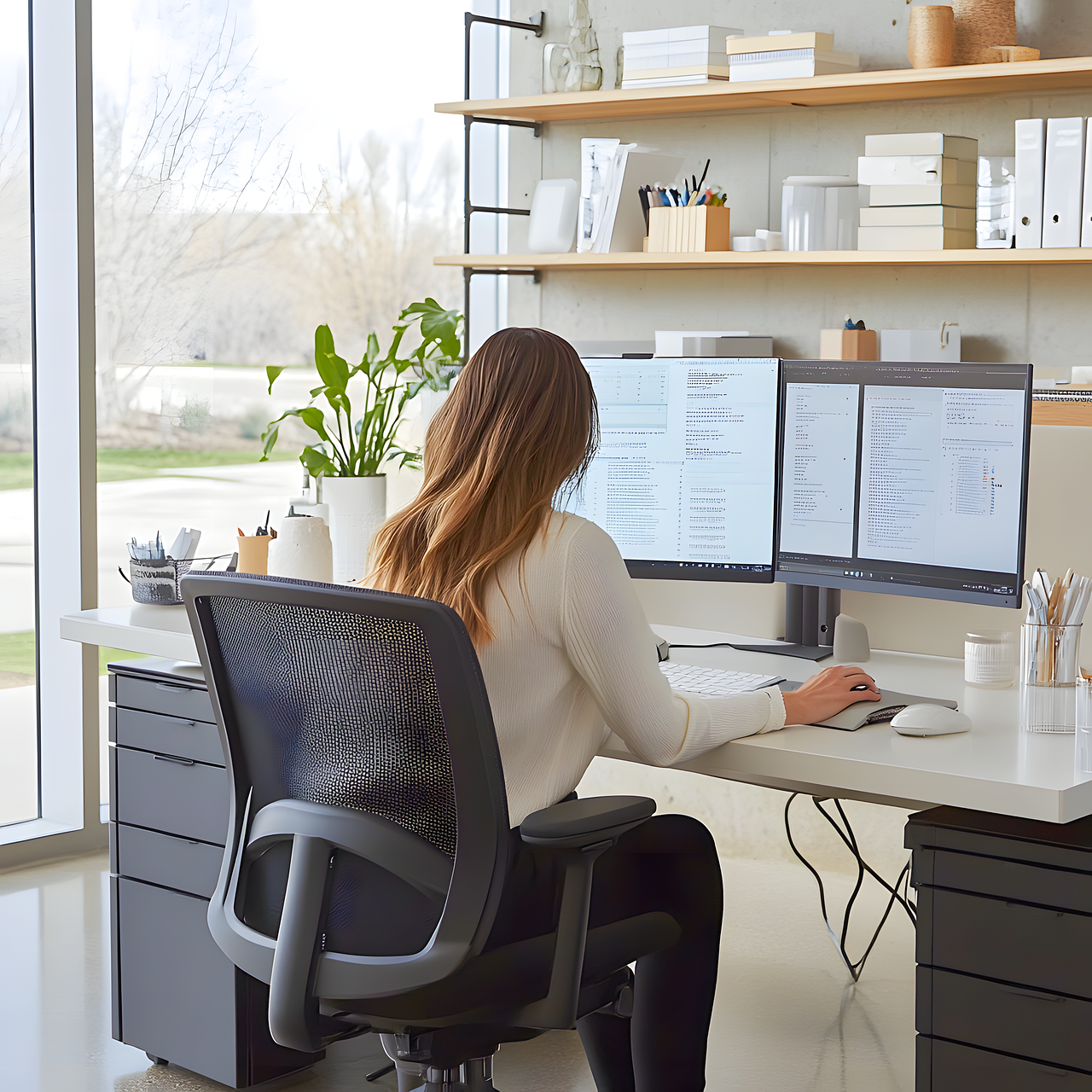
Your choice of equipment is paramount for an ergonomic workspace. Start with a good-quality chair that provides lumbar support, crucial for maintaining spinal alignment while seated for long periods. Look for chairs that are adjustable, allowing you to tailor height and arm rests for optimal positioning. A proper desk is equally important; one that can adjust between standing and sitting will improve posture change throughout the day. Furthermore, consider a monitor arm to position your screen perfectly at eye level, promoting healthier neck posture. Investing in a wrist rest can also be beneficial for preventing strain during typing. Keyboards and mice designed with ergonomics in mind help reduce the risk of repetitive strain injuries. Not only are the right tools important for health, but they also contribute to increased efficiency and better work performance. Remember, ergonomic setups differ from person to person, so choose equipment tailored to your specific needs.
Another crucial aspect of an ergonomic workspace is the organization of your desk. A clutter-free desk allows you to focus better and minimizes distractions while working. Utilize desk organizers and drawer solutions to keep necessary items easily accessible yet out of sight when not in use. Position your workstation close to the light source to enhance visibility, aiming to reduce eye strain. Consider using task lighting for visual clarity during our remote work. Ensure that all items on your desk, including documents and stationery, are correctly positioned. Keep phones and other devices nearby to enhance accessibility without needing to stretch. Adjust your chair and desk height according to your height to ensure efficient body alignment. Besides, implement a regular cleaning schedule to minimize clutter buildup. This organization will pave the way for increased productivity and comfort. Focus on maintaining a theme or color scheme to create a visually appealing workspace that keeps you motivated.
Implementing Regular Breaks and Stretching
Regular breaks are vital to maintaining both mental and physical well-being while working remotely. It is vital to incorporate stretching and movement into your daily routine to combat the potential adverse effects of long sitting hours. Aim to take breaks every 30 to 60 minutes, using this time to stand, stretch, or perform light physical activities. Simple stretches can alleviate tightness in the neck, shoulders, and lower back, affording relaxation. Chair yoga or quick walking sessions can invigorate your mind, helping to enhance focus upon returning to work. Consider using apps or reminders to prompt you during these intervals to ensure accountability. Have a designated area for short breaks to clear your mind — even five minutes away from the desk can produce a renewed sense of energy and focus. Breaks allow for improved circulation and enhance cognitive function. Remind yourself that these quick interludes are critical for maintaining longevity in your remote work setup, which can be taxing if managed without care.
The arrangement of furniture plays a critical role in your workspace’s ergonomics. A well-planned layout can contribute significantly to the overall comfort of your workspace. Start by ensuring your chair, desk, and monitor are at appropriate distances and heights to facilitate a comfortable working posture. Your monitor should be at least an arm’s length away to reduce eye strain, while the desk surface should allow your elbows to rest comfortably at your sides. Keep your mouse and keyboard close enough to prevent overstretching your arms, which can lead to discomfort. If your office space allows, create zones for different activities, such as a dedicated area for calls or strategy sessions, enabling your mind to switch gears more efficiently. Incorporating plants can positively affect your mood and create a calming atmosphere. Make sure your workspace encourages a fluid movement and keeps everything you need within arm’s reach, reducing unnecessary strain and discomfort. The right layout will create a harmonious workspace that invites productivity.
Utilizing Technology to Enhance Comfort
Incorporating technology into your ergonomic workspace can also foster comfort and productivity. Smart devices like monitors with blue light filters can reduce eye strain, especially for long hours. Utilizing standing desks or desk converters will allow you to switch between sitting and standing, improving blood flow and posture. Incorporating screen software that helps reduce glare from natural light sources can alleviate discomfort caused by long exposure to screens. Noise-canceling headphones can create a distraction-free environment, boosting your concentration. Leveraging virtual collaboration tools can also save time spent in meetings, allowing for more focus on work tasks. Consider productivity apps that prompt you to rest or hydrate as a gentle reminder to take care of your physical well-being. Technology used wisely can help facilitate a more efficient workflow, keeping you comfortable while minimizing discomfort. By integrating these tech-savvy solutions into your workspace, you’ll find it easier to maintain wellbeing and enjoy a positive remote work experience.
When managing your essential documents and workstation items, ensure correct positioning of your keyboard and mouse. The keyboard should be placed at a height where your elbows are at a 90-degree angle, with wrists straight and hands floating above. This position will reduce strain on your muscles and tendons as you type. An ergonomic mouse should align your forearm comfortably, allowing your wrist to stay straight without twisting. If utilizing a laptop, consider external keyboard and mouse options for better ergonomic positioning. Cable management is another vital aspect that minimizes clutter and improves the function of your workspace. Use cable organizers to keep cords and wires out of the way and looking tidy. A clear workspace allows for more efficient workflow while reducing distractions. Developing habits around positioning and organization will drastically enhance comfort and productivity. Over time, the adjustments you implement will help prevent the development of ergonomic-related ailments, allowing you to enjoy your remote work setup to its fullest potential.
Conclusion and Final Thoughts
In conclusion, setting up an ergonomic workspace is essential to ensuring comfort and preventing health issues while working remotely. Evaluate your current setup, invest in appropriate equipment, and maintain regular breaks between work intervals. Each of these elements plays a significant role in achieving long-term comfort and productivity. Implement organizational strategies to create a clutter-free environment while utilizing technology to foster efficiency further. Continuously assess your needs and adjust your workspace to align with your personal requirements. By applying these recommendations, you will not only improve your posture but also cultivate an environment conducive to productivity. You have the power to design a workspace that protects your well-being while maximizing performance. Remember, small changes can yield significant results, making your remote work experience much more enjoyable and sustainable over time.