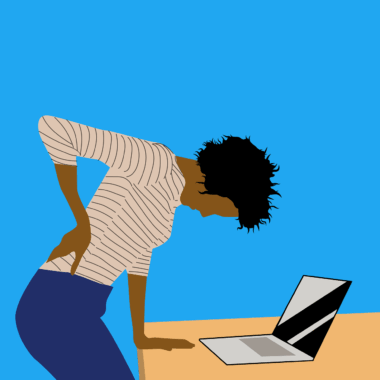

Guidelines for Using Mobile Devices Ergonomically at Work
Using mobile devices at work has become increasingly common, but proper ergonomics is essential to ensure comfort and safety. Start by observing your posture while using your mobile devices. Ideally, your head should be level and looking forward, not bent down, to avoid neck and back strain. To achieve this, consider using a stand or holder for your mobile device. This will help keep the screen at eye level. Additionally, ensure your arms are supported, either by resting them on a desk or using arm supports. When typing or swiping, keep your wrists straight to prevent strain. Regular breaks are crucial when using mobile devices for extended periods. Each hour, take at least a five-minute break, standing up and stretching. Incorporate stretching exercises focusing on your neck, shoulders, and wrists to alleviate tension. Adjust your workspace to improve your overall posture. For example, adjust your chair height so your feet rest flat on the floor. Ensure your work area is well-lit to reduce eye strain when looking at screens. By implementing these tips, you can maintain an ergonomic setup that enhances your productivity and comfort.
Proper Device Use
Using mobile devices efficiently involves more than just holding them correctly; it is essential to practice smart usage techniques. When making calls, ideally use a headset or speakerphone to avoid straining your neck by cradling your phone between your ear and shoulder. If you’re typing messages or emails, use a wireless keyboard that allows for better hand positioning. This also prevents excessive bending of the wrists. Furthermore, maintain a relaxed hold when gripping your device, keeping your fingers and hands in a natural position. Avoid constant scrolling that leads to repetitive strain on your fingers. To enhance your ergonomics, switch between hands when holding your mobile device, making sure to rest the other hand periodically. Additionally, taking advantage of voice recognition software can help reduce the time spent typing. Ensure to keep your mobile device within arm’s reach to avoid overextending your arms or leaning forward, which can lead to back pain. Optimize your notifications to minimize distractions and interruptions, helping you maintain a more controlled and less stressful mobile work routine. By implementing these daily mobile ergonomics, you can significantly reduce discomfort associated with prolonged device usage.
One critical aspect of using mobile devices ergonomically is being aware of the environment you’re in. Every workspace is different, and understanding how light, noise, and comfort can impact your ergonomic setup is vital. Avoid using your mobile device in areas with excessive glare, as it forces you to squint, leading to uncomfortable eye strain. If you cannot avoid bright lighting, consider using an anti-glare screen protector to mitigate the effects. Additionally, maintain a clean workspace that supports mobility and organization. Too many cluttered items can make it difficult to find a comfortable position, leading to awkward postures and strains. If necessary, utilize headsets to reduce background noise, allowing for better concentration and comfort during phone calls. Adequate room temperature also plays a role in ergonomics; ensure the environment is not too hot or cold, leading to discomfort. Lastly, engage in regular ergonomic assessments every six months, ensuring your habits evolve along with emerging technologies and new workplace practices. This proactive approach can help prevent future discomfort and enhance productivity, ensuring a better overall experience when using mobile devices at work.
Exercises for Relief
Incorporating specific exercises into your routine can greatly relieve tension caused by prolonged usage of mobile devices. Start each day with gentle neck stretches; tilt your head to each side for 15 seconds, alternating sides. Additionally, consider shoulder shrugs, raising your shoulders to your ears and releasing them slowly to alleviate tension. Engaging in these exercises can minimize the muscle stiffness commonly associated with extended device use. Specifically, wrist stretches are essential; extend one arm out, palm up, and use the other hand to gently pull back on your fingers, holding for 15 seconds. Repeat on the opposite side. Engage your palms using a soft ball, squeezing slowly and releasing to strengthen your hand muscles. Encourage circulation through wrist rotations, turning your wrists clockwise and counterclockwise in 10 repeats. Remember to practice deep breathing techniques while exercising, aiding in relaxation and mental clarity. Furthermore, integrate short walks around your workspace every hour, stimulating blood flow and enhancing productivity. By blending these simple exercises into your workday, you can significantly diminish the negative impact mobile device use has on your overall physical health.
Setting realistic boundaries is paramount for healthy mobile device use at work, allowing for proper ergonomics and productivity. Define specific times during the day when you’ll check messages or emails on your mobile device. This limits the frequency of constant interruptions caused by notifications, ensuring your focus remains on essential tasks. Furthermore, educate your colleagues about these boundaries to foster a considerate work environment. Periodically reviewing your mobile usage is also beneficial; utilize apps that monitor screen time to identify patterns in your usage or how often you’re distracted by your device. Consider designating a ‘phone-free’ zone in your workspace, enhancing focus and productivity while minimizing physical strain. Using reminder apps can help prompt you to take breaks or to practice ergonomic advice regularly. To avoid digital fatigue, consider scheduling a digital detox, allowing time away from screens altogether. Maintaining a balance is essential and should be prioritized for improved mental health. The goal is to cultivate a healthy relationship with technology while minimizing the associated risks of mobile device discomfort. By establishing boundaries, you can support both your physical and mental well-being effectively.
Importance of Workplace Design
Workplace design greatly impacts ergonomics when using mobile devices, directly affecting your health and comfort level. Assess your desk setup: ensure that your work surface height is suitable for using both your computer and mobile devices effectively. If your desk is too high or too low, this can lead to poor posture when switching between devices. Implementing adjustable desks allows for customizable comfort, accommodating various user heights. Arrange your workspace to have everything within reach, minimizing overextension or awkward movements. Consider utilizing mobile device docking stations which can create a more ergonomic angle when using your mobile device. Additionally, proper seating plays a pivotal role; invest in an ergonomic chair with good lumbar support promoting healthy posture. Using footrests can alleviate pressure on your legs and improve circulation as well. Ensure that any additional lighting, such as desktop lamps, does not create glare on screens, which helps prevent eye strain as well. Engaging in an ergonomic assessment of your workspace can uncover necessary changes, promoting a healthier working environment while enhancing productivity and efficiency with mobile device use.
Finally, education is crucial for understanding the proper ergonomic practices required when using mobile devices at work. Employers should provide resources and training that emphasize the significance of ergonomics. Hosting workshops focused on ergonomic principles can help employees understand best practices for both mobile and stationary device usage. Encourage employees to actively participate in ergonomics discussions, fostering an open dialogue about challenges and beneficial methods. Additionally, creating easy-to-understand guides or handouts can effectively communicate vital research and strategies that can be implemented seamlessly into daily routines. Utilizing visual aids such as infographics outlining correct postures can also be beneficial. By fostering a culture of awareness surrounding ergonomics, employees are more inclined to prioritize their health and well-being while using mobile devices. Encourage feedback on the approach taken and be ready to adapt strategies to best meet employee needs. Conduct follow-up sessions to gauge the success of ergonomic implementations, ensuring continual improvement. By embracing education and persistent adaptation, workplaces can flourish with increased awareness and ergonomic practices, leading to healthier environments with reduced risk of injury associated with improper mobile device use.