
Ergonomic Desk Maintenance: Keeping Your Setup Optimal
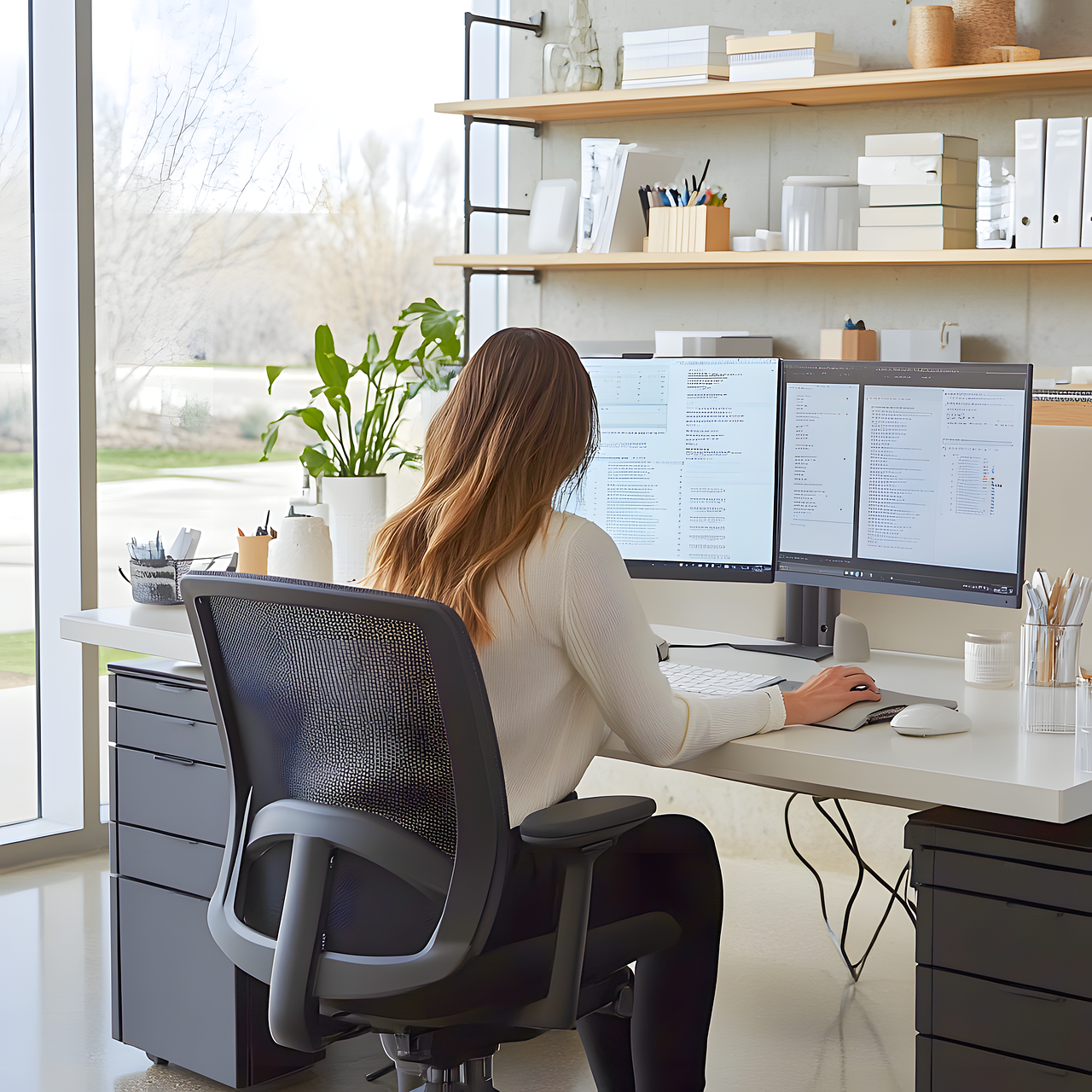
Maintaining an ergonomic desk is essential for promoting good posture and minimizing discomfort during work hours. Over time, various factors can influence the effectiveness of your ergonomic setup, so it’s important to conduct regular inspections and adjustments to your workspace. Start by assessing the desk height, ensuring that it aligns properly with both your chair and your elbows. The ideal desk height allows your elbows to remain at a 90-degree angle when typing or using a mouse. Additionally, evaluate the position of your monitor; it should be at eye level to prevent straining your neck. Monitor stands or adjustable arms can be highly beneficial in achieving this optimal height. Remember to also keep your workspace tidy, as clutter can lead to unnecessary stress and distractions. Regularly clean your desk and equipment using appropriate materials, such as microfiber cloths and non-abrasive cleaners. Taking the time to verify the alignment and cleanliness of your desk can make a significant difference in overall comfort and productivity, ultimately enhancing your work experience for greater efficiency and focus.
Adjusting Your Chair for Better Support
Choosing the right chair is just as crucial as selecting an ergonomic desk. An adjustable office chair ensures proper lumbar support and allows for a customized fit to your body. Start by adjusting the chair height; your feet should rest flat on the floor or on a footrest. The armrests should be positioned to support your arms comfortably without elevating your shoulders. Pay attention to the angle of your seat; a slight backward tilt can reduce pressure on your thighs and improve circulation. A chair with adjustable lumbar support can help maintain the natural curve of your spine. Additionally, consider using a cushion or a lumbar roll if further support is needed. Make it a habit to periodically adjust your chair throughout the day to accommodate different tasks and positions. This will prevent muscle fatigue and discomfort caused by prolonged sitting in a fixed position. Furthermore, remember to take regular breaks from sitting by standing or doing light stretches to promote blood flow, thereby enhancing your overall productivity and well-being.
Lighting is also an essential element of a productive ergonomic workspace. Strong lighting helps minimize eye strain during working hours. Position your desk near natural light whenever possible, while avoiding direct sunlight that may create glare on your screen. Use adjustable desk lamps for focused lighting on your work area, ensuring they do not cast shadows on your screen. An appropriate color temperature, around 5000K to 6500K, is recommended as it mimics daylight, thus promoting alertness. Reducing overhead fluorescent lighting can also prevent harsh glare. Moreover, incorporating plants in your workspace can improve air quality and elevate moods, further enhancing productivity. Ensure bright and warm colors are balanced throughout the space to create a pleasant environment. Adapt your lighting as necessary during different tasks, utilizing softer light when reading printed materials. Remember that lighting plays a crucial role in maintaining a comfortable workspace, contributing significantly to your long-term health. The right balance of lighting can prevent headaches and the fatigue that often accompanies extended hours in front of devices.
Cable Management for a Safer Workspace
A cluttered workspace with tangled cables can be a significant distraction while posing potential safety hazards. Investing in effective cable management solutions is essential for maintaining an efficient ergonomic desk. Utilize cable organizers or clips to secure loose cables in place, preventing them from getting tangled or caught under your chair. Consider using cable sleeves or raceways to conceal multiple wires, enhancing the aesthetic of your workspace while protecting cables from wear. Additionally, ensure that cables do not create tripping hazards around the office floor by routing them along walls or behind furniture. Regularly inspect your cables for any signs of damage or fraying, as damaged cables can create electrical hazards. It is also a good idea to label cables for easier identification, ensuring that you can quickly locate what you need during troubleshooting. An organized and safe workspace contributes significantly to better focus and efficiency throughout your workday. Prioritizing proper cable management will result in a more enjoyable and less stressful work environment.
Your ergonomic desk setup should also adapt as your needs change over time. For those who spend extended periods working at their desks, standing desks or height-adjustable desks can provide a versatile solution. This type of desk encourages you to alternate between sitting and standing, reducing the risks associated with prolonged periods of inactivity. When using a standing desk, ensure your monitor is still at eye level, and shift your weight every so often to maintain comfort. Incorporate anti-fatigue mats to provide cushioning while standing, enhancing comfort and support. Remember that the transition between sitting and standing should be gradual; often, standing for short periods can lead to improved energy and focus. Be conscious of your posture, regardless of whether you are sitting or standing. An ergonomic workout routine that incorporated stretching and strengthening exercises can also enhance your flexibility and reduce muscle tension associated with desk work. The goal should be to create a sustainable system that supports both productivity and physical well-being over time.
The Importance of Regular Breaks
Regular breaks are crucial for maintaining optimal ergonomic health while working at your desk. Implementing the 20-20-20 rule is highly recommended: every 20 minutes, take a 20-second break to look at something 20 feet away. This simple practice reduces eye strain and helps to clear your mind, preventing burnout. Additionally, using break times to stretch or walk around can enhance blood circulation and relieve muscle tension, supporting your overall well-being. Consider setting a timer to remind you to take these important breaks throughout your workday. Incorporating light physical activity during breaks can combat the negative effects of prolonged sitting. Even short bouts of movement can help re-energize your body and increase focus when you return to your tasks. Encourage colleagues to participate as part of a team effort to cultivate a healthier work environment. Implementing regular breaks into your routine will also foster a work culture that prioritizes health, leading to enhanced productivity and morale in your workplace. Prioritizing breaks points to a deeper awareness of the necessity for a healthier work-life balance.
Finally, consider investing in ergonomic accessories that complement your desk setup. Items such as mouse pads with wrist support, standing desk converters, and ergonomic keyboards can make a significant difference in enhancing your overall comfort. An ergonomic keyboard, designed to promote a natural hand position, helps reduce strain on your wrists and fingers. A supportive mouse pad can alleviate discomfort during extended computer use, ensuring that your hand maintains a comfortable position. Additionally, accessories like document holders can raise printed materials to eye level, reducing neck strain and allowing for a more streamlined workflow. In the quest for an optimal ergonomic setup, every small improvement counts. Regularly assess your needs and explore new tools that align with your working habits. Ergonomic accessories may not only enhance comfort but also significantly boost your productivity by allowing you to work more efficiently and comfortably. Overall, remember that consistent maintenance and evaluation of your ergonomic desk setup are vital to fostering long-term health in your workspace.
Investing in an ergonomic workspace will enhance your productivity and contribute to a healthier lifestyle. As you maintain your setup, regularly evaluate its components to ensure they continue to meet your needs. Choose products that fit not just your immediate comfort but also your long-term well-being. From well-placed monitors to the right desk height, every aspect matters in creating a workspace that fosters both comfort and efficiency. Conduct periodic reviews of your office ergonomics and make adjustments to keep your environment conducive to optimum performance. As your workload or changes in health arise, adapt your workspace accordingly to maintain that essential alignment of comfort and function. Collaboration with specialists in ergonomics can provide invaluable insight into tailoring your workspace to your specific needs. By making informed choices and maintaining your ergonomic desk regularly, you’ll support a sustainable work environment conducive to reducing stress and enhancing productivity, resulting in overall better health outcomes. Always remember that ergonomic maintenance is not just a one-off task; it’s an ongoing commitment to your physical and mental well-being.